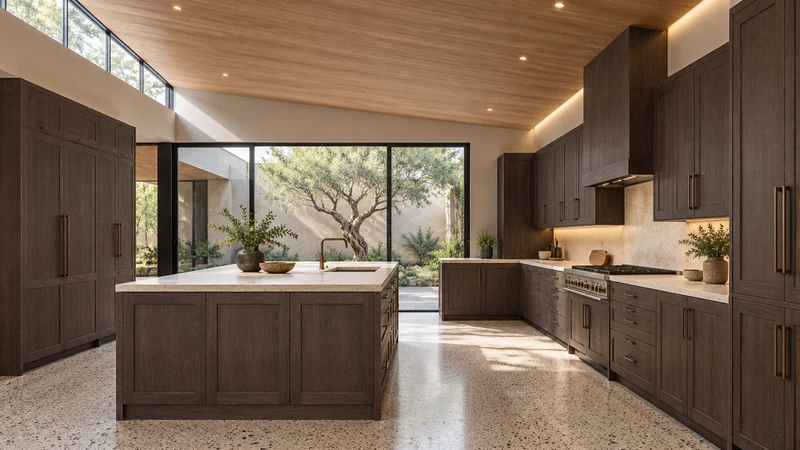
A social media photo can help you choose a color direction, but it cannot reliably identify an orderable cabinet finish by itself. Save the original post, find any product information attached to it and describe the relationship you like: a muted cabinet beside a warm floor, for example. Then compare physical samples of the actual cabinet finishes being considered. Ordering from a screenshot skips the connection between the image and the product.
Follow the picture back to its product information
A repost may remove the original caption or attach a different product link. Find out whether the picture shows a completed room, a staged display or a rendering, and whether the named finish belongs to the cabinets or merely to the wall paint. A comment naming a familiar paint color is a lead to check, not a cabinet finish specification. Keep the source link with the image so the information stays connected.
If the source gives a cabinet manufacturer, collection and finish, record all of them. Similar color names can be used for different products. Even an accurately identified reference does not establish that another cabinet line offers the same finish, that matching trim is available or that the photographed combination can be ordered today.
Design study This design study is useful for comparing light and dark relationships. It cannot identify a stain formula, wood species or a currently orderable finish from its pixels.
Separate the color idea from the image appearance
The picture you see has passed through lighting, photography or rendering, image editing and a display. Increasing screen brightness may make a dark cabinet easier to see, but it does not turn the display into a physical finish sample. Sherwin-Williams makes the same limited distinction for its paint visualizer: on-screen appearance may differ from the actual color, which should be checked with a physical sample before purchase.
Do not try to settle a cabinet selection by picking a single pixel from the photo. That point might be a highlight, a shadow or a reflection. Instead, describe whether the reference feels light or dark next to its surroundings, how much visible grain it has and whether you prefer a calm or strongly contrasting combination. Those observations can guide a shortlist without pretending to be a formula.
Translate an appealing photo into a usable comparison
Suppose a saved kitchen image makes a dark wood cabinet look warm beside a pale floor. Your own floor has a cooler appearance and your room receives different light. The useful question is not “Which finish reproduces this screenshot?” It is whether the available dark finishes create a relationship you like beside your real floor and proposed countertop. Compare the samples together in the room, then look at them again when the lighting changes.
Keep the cabinet sample identified during the comparison. A wall-paint swatch can help discuss a general direction, but it is not proof that a factory cabinet finish matches that paint. For wood finishes, ask what variation the sample is intended to represent; one small piece cannot show every grain pattern or every component in a complete kitchen.
Record the product choice separately from the inspiration
Keep the reference photo in an inspiration folder and the selected cabinet finish information in the order notes. Record the actual line, finish name or code, sample identification and the related exposed panels or trim being considered. If a substitute is proposed, compare it deliberately rather than assuming that a similar name means a match. This helps keep later changes from silently replacing the selection.
When no product can be identified
Treat an unattributed image as a mood reference and choose from finishes that can be documented and sampled. It is better to make a deliberate nearby choice than to call an unknown product an exact match. The finish images below can help compare design directions, but the selected cabinet’s physical sample and order information should settle the purchase.
Pure White
Cream White
Light Warm Gray
Gray
Navy
Black
Oak Tone
Dark Walnut Tone
Design study These finish studies are design references, not a list of currently orderable colors. Screens and lighting change the appearance; compare a physical sample before choosing.See all finish options →
A brighter room may reflect a new window, changed walls or different staging as much as new cabinets. Identify the changes before borrowing the result.
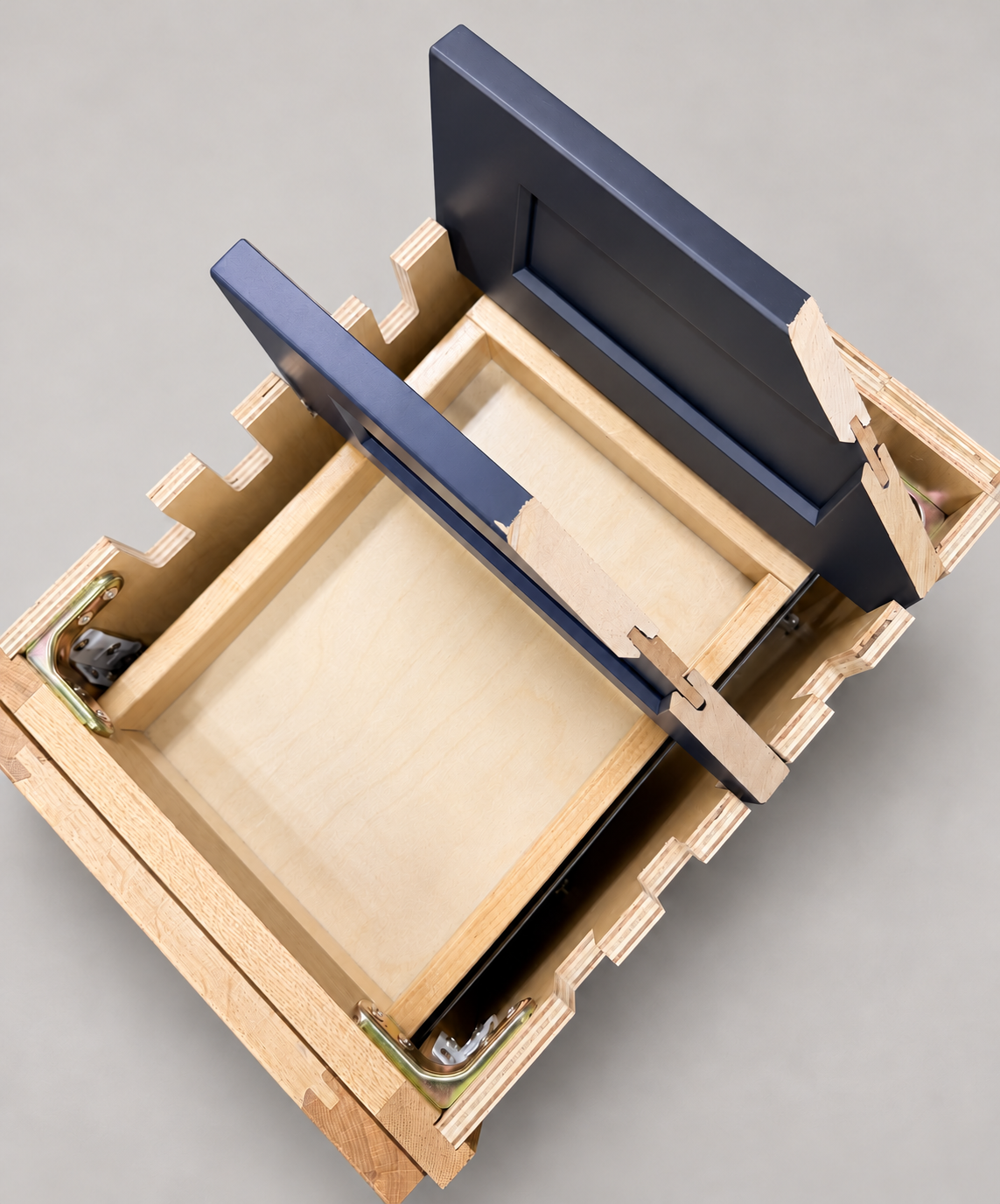
The sample shows the door frame, a separate center panel, the face frame and the cabinet box. Each component has its own place in this Shaker construction.
Shaker construction: door frame, center panel, face frame and cabinet box. The cutaway helps locate these parts; confirm each material in the specifications for the selected cabinet.
01 / Door frame
The Shaker door has rails and stiles around a separate center panel. The frame and center panel are different components; confirm their materials in the specifications for the selected cabinet.
02 / Face frame
The face frame surrounds the opening at the front of the cabinet box and sits behind the doors. The face frame, door frame and cabinet box are separate parts.
03 / Cabinet box
The sample exposes the cabinet sides, interior surfaces and layered edges. The image does not establish the wood species or material specification of a selected cabinet.