KraftMaid and Dura Supreme publish different adjustment information for their cabinet hardware. Dura Supreme separates guides for various door arrangements. That matters because similar-looking hinges and drawer releases may adjust differently. Find the guide for the actual hinge, mounting plate or runner, including its version where identified. A generic online arrow does not establish what a screw on your cabinet controls.
Empty the affected drawer or remove loose contents from the door's path. Check for a bag, shelf, loose utensil, displaced bumper or liner preventing normal closing. Photograph the closed fronts and the exposed hardware. Keep the original symptom visible in the record before changing the contents or adjustment.
Establish a useful baseline
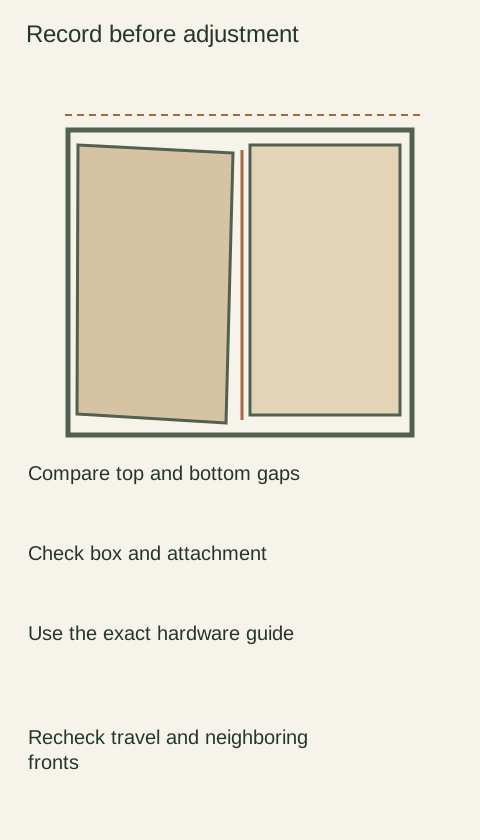
Look at the whole run with fronts closed, then isolate the affected opening. Record the gap at the top and bottom of an adjacent pair, any front projection compared with its neighbors and where rubbing occurs. Use the same reference points when rechecking. Actual measurements belong to your cabinet record; do not compare them with an invented universal gap.
Check whether the cabinet box appears level and square using suitable measuring tools and the cabinet installation instructions. Several fronts leaning in the same direction may indicate a common installation issue. Door adjustments cannot establish that a loose wall cabinet is securely attached. Stop normal use if a cabinet, hinge attachment or loaded drawer appears unstable, and have the responsible installer assess it.
Diagram Illustrative diagram; not a product specification.
Separate the symptom from its possible cause
A front can sit too high, too far sideways, proud of its neighbor or tilted. Those are observations, not diagnoses. Check for loose or damaged hardware, an incompletely engaged drawer lock and a runner that has debris in its path. Use the official release and engagement method instead of forcing a drawer into position.
If a hinge screw spins without holding or the board around it is damaged, routine alignment is no longer the whole repair. Do not keep tightening or enlarge a hole by trial. Photograph the condition and obtain an attachment repair appropriate to that cabinet and hardware. Likewise, a visibly distorted front needs evaluation rather than an attempt to pull it flat with adjustment screws.
Make a controlled adjustment only when supported
Support a door if the official procedure requires it. Identify the control for the observed direction, use the specified tool and stay within the manufacturer's stated method. Change a single control, then close the front gently and compare with your baseline. Record what changed so you can identify a setting that made the problem worse.
There is no reliable generic instruction to turn every cabinet screw by the same angle. Some screws fasten parts rather than adjust them. Do not remove a mounting screw to chase a visual gap. If the correct guide cannot be identified, send the hardware markings, wider photographs and baseline measurements to the manufacturer or installer before proceeding.
Recheck the operating path
After an adjustment, open the front through normal travel and close it with representative contents. Check the neighboring opening and any internal pull-out. A better closed gap can hide a new collision when open. Confirm drawer locks are engaged using the selected runner's instructions and that the front is not contacting an appliance or wall.
For an illustrative diagnosis, imagine a drawer that stays proud only when a tall container is inside. Removing the container changes the symptom, so a depth adjustment is not the first response. In another cabinet, several tilted doors following the same box edge deserve a box-level check before individual hinge work. These comparisons narrow the cause without guessing a repair.
Leave a record that another person can use
Save cabinet location, hardware identification, before-and-after measurements, photographs and any remaining symptom. Distinguish a completed adjustment from a damaged attachment awaiting repair. A tidy gap is useful, but the acceptance check also needs smooth operation, stable components and clearance for the intended contents. If the guide's adjustment limit is reached, stop and resolve the underlying fit or installation issue.
Send a diagnosis packet when the guide does not resolve it
Include the cabinet location, exact hardware marks, a closed overall view, a close view of the attachment and your baseline measurements. A short video should show the movement and the point of contact rather than repeated forced closing.
State which identified controls were changed and what happened. This lets an installer distinguish a front setting from a damaged fixing or an installation problem.
Ask for the proposed corrective action and its scope, then recheck that action against the same baseline. Do not call a cabinet repaired merely because the front looks straight in a photograph.
Finish references
Pure White
Cream White
Light Warm Gray
Gray
Navy
Black
Oak Tone
Dark Walnut Tone
Design study Design references only. The finish studies do not establish actual material, color matching or availability. Compare the selected physical sample.See all finish options →
Routine cleaning, a finish touch-up and a moving wood joint need different responses. Identify the surface and condition before applying a cleaner or repair product.
Stop the moisture source and assess the cabinet before ordering a new door. A replacement front can improve appearance while leaving a damaged box or attachment unresolved.
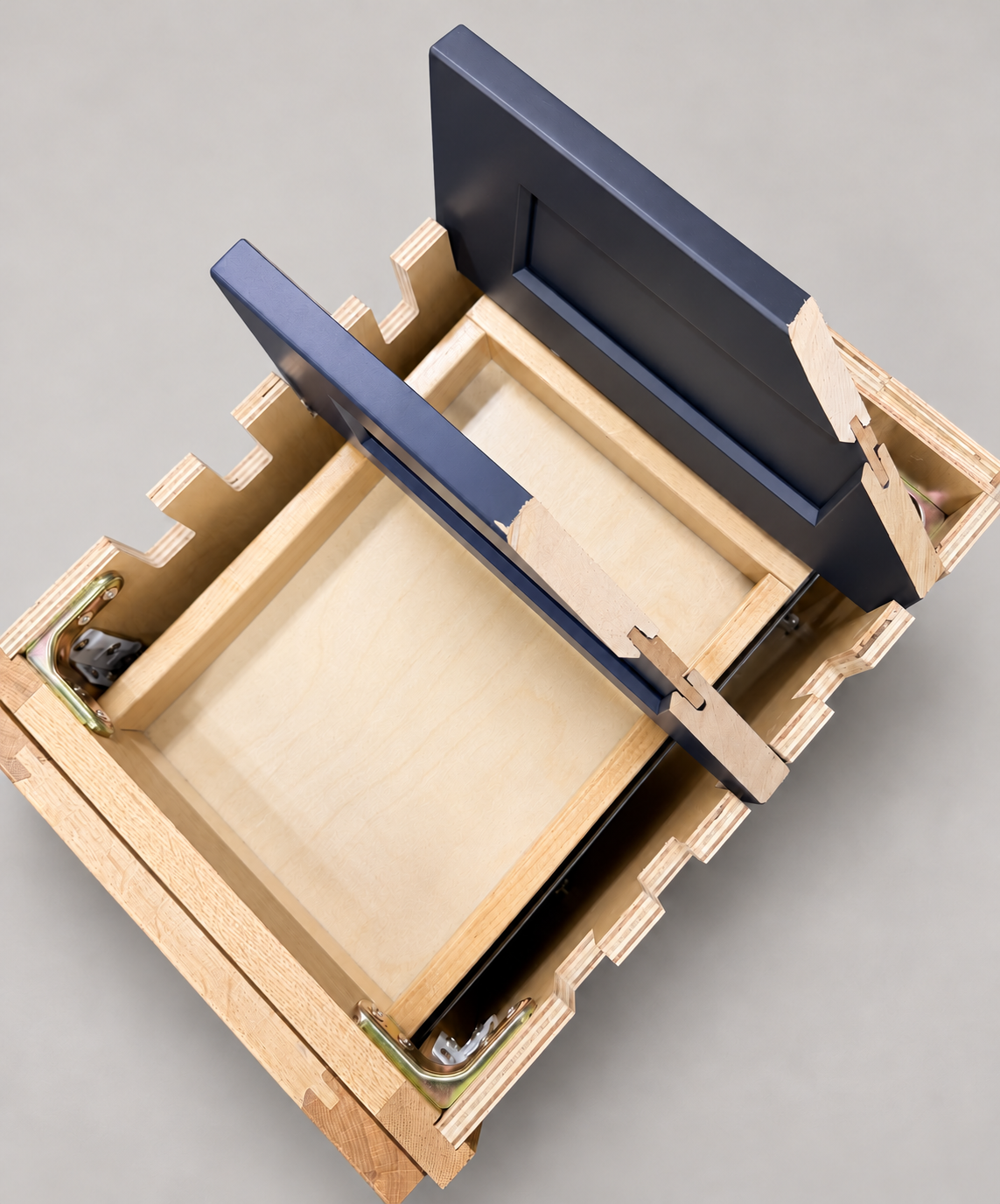
The sample shows the door frame, a separate center panel, the face frame and the cabinet box. Each component has its own place in this Shaker construction.
Shaker construction: door frame, center panel, face frame and cabinet box. The cutaway helps locate these parts; confirm each material in the specifications for the selected cabinet.
01 / Door frame
The Shaker door has rails and stiles around a separate center panel. The frame and center panel are different components; confirm their materials in the specifications for the selected cabinet.
02 / Face frame
The face frame surrounds the opening at the front of the cabinet box and sits behind the doors. The face frame, door frame and cabinet box are separate parts.
03 / Cabinet box
The sample exposes the cabinet sides, interior surfaces and layered edges. The image does not establish the wood species or material specification of a selected cabinet.